
For Project in a Box each event includes a set of ready-to-use resources to help you plan, host, and support your event. These are available directly from your event page.
Steps
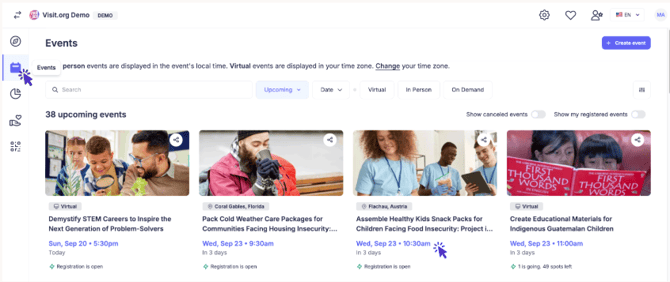
Step 1: Open your event In the calendar icon on the left-hand menu, go to Events and select the event you're organizing.
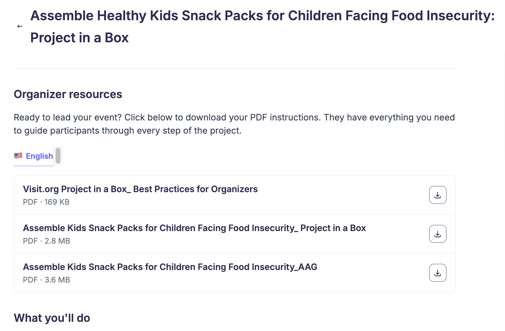
Step 2: Go to Organizer Resources On your event page, go to the Organizer Resources section. You'll find three downloadable guides:
- "Best Practices for Organizers" — A handy checklist-style document covering key considerations for event planners, before, during, and after the event.
- "Experience: Project in a Box [Language]" — Slides you can use during the live event, if you'd like.
- "Experience: Project in a Box [Language] AAG" — A one-pager with quick-read instructions. It's printable and meant for employees to reference during the live event. We recommend one copy per two employees.
With these resources in hand, you're ready to host — easy as that!
Need Help? If you run into any issues or have questions, feel free to reach out to customersuccess@visit.org. We’re always here to assist you!