
Once your event is scheduled, you can follow your shipment's progress directly from your event page in the Visit.org Platform. You'll be notified automatically as the status updates, so there's no need to check in manually.
Steps
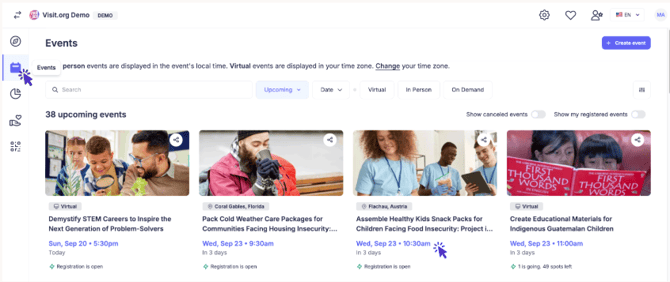
Step 1: Open your event In the calendar icon on the left-hand menu, go to Events and select the event you're organizing.
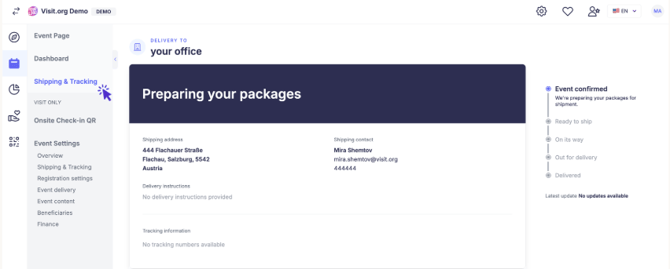
Step 2: View shipping and tracking On your event page, click Shipping and Tracking. From here you can see the current status of your order.
 What to Expect
- Automated updates: You'll receive an email automatically each time your order's shipping status changes.
- Timing: Shipping typically goes out one to two weeks before your event.
- Tracking number: Once your order ships, your tracking number will appear on the Shipping and Tracking page.

Need Help? If you run into any issues or have questions, feel free to reach out to customersuccess@visit.org. We’re always here to assist you!