
At Visit.Org, we’re all about making your event planning as easy and stress-free as possible! Our platform allows you to book events for your company in under five minutes, giving you more time to focus on what really matters. Once your event is booked, we’ve got everything else covered!
Here’s a simple guide to walk you through the booking process after you've selected your experience. If you haven't choose an option jump into our How to choose my experience article.
Submit your event request
Head over to your preferred experience and ensure everything matches your vision for your event. When you're ready to book, just fill in the timezone, date, time, and seats (participants) on the right-hand side of the page, then click the “Continue Booking” button.
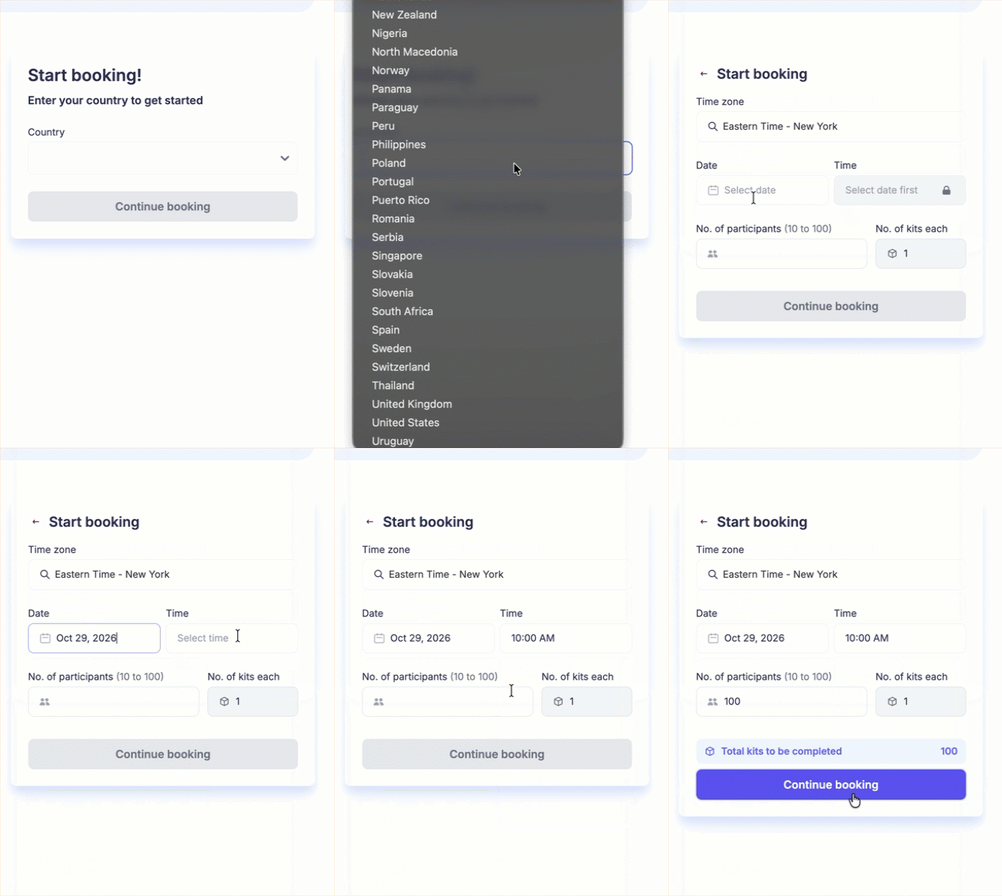
Note: We suggest to submit your booking at least 4 weeks prior to the event date to give you enough time to promote your event. You can check our Timelines in the following article - Key Timelines for Your Corporate Events.
Then, to make the process smoother, if your experience includes kits we will ask for your event/shipping address and shipping contact. For In-person events, if your event is in the Nonprofit facility, or offsite, you’ll be able to see the location where we’ll be meeting.
Lastly, in the "Special Requests" section, you can add any extra details that will make your experience even better—like any special instructions or messages for the event, or any other questions you might have.
Once you've reviewed all the details, simply click on the “Submit Request” button. That’s it!
Bookings in-person or with supplies
For bookings In-person or with supplies (Virtual, In-person, or PIAB) the process is similar, with the added step of providing the event address. If your event will be at your office or a specific location, we’ll also ask for shipping details.
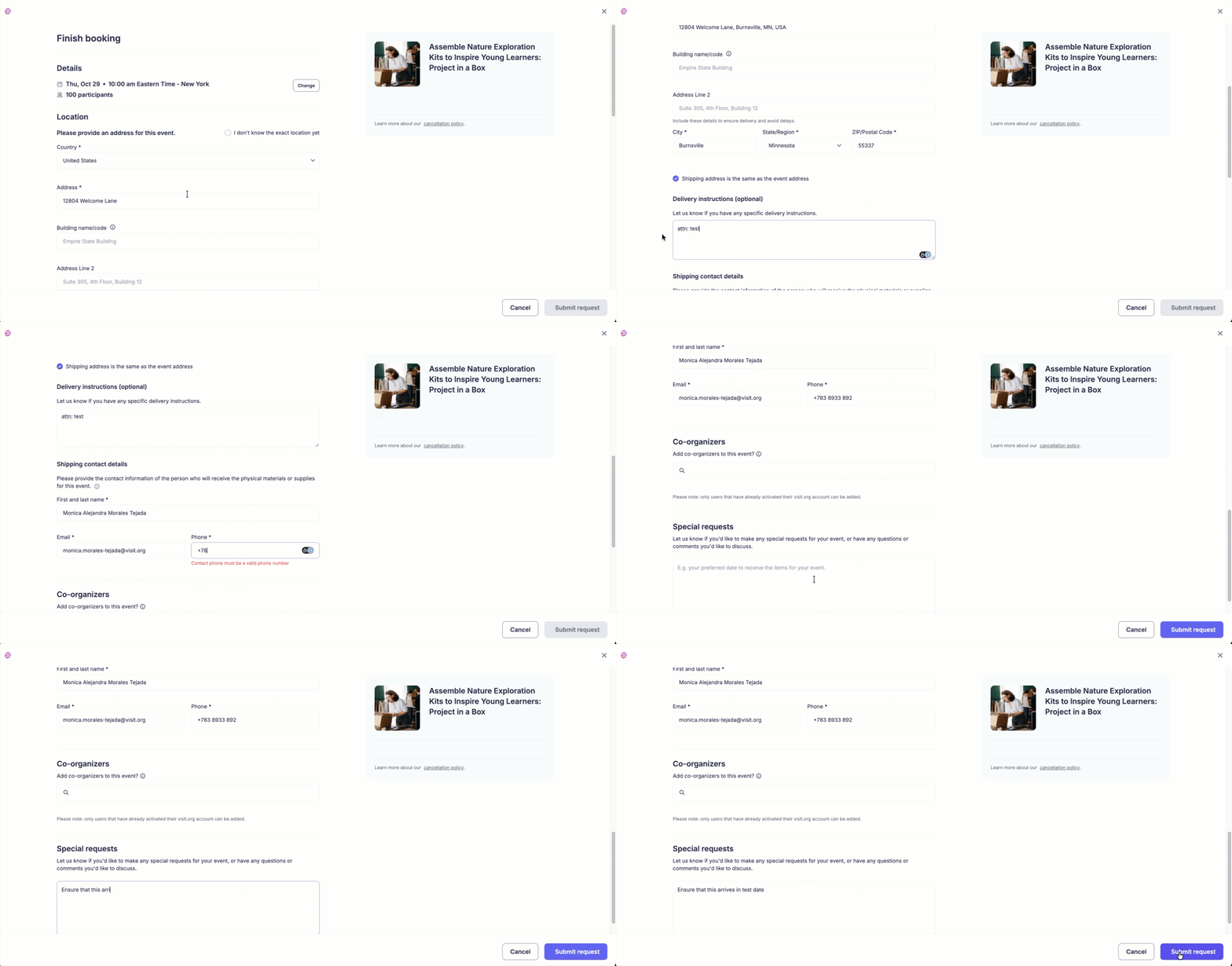
Once you click “Submit Request”, you’ll receive an email summary of your booking, and we will be notified about your request.
What happens next?
When the nonprofit or Visit.org confirms your booking, you'll receive a confirmation email with the details for your event. If any information is missing our coordinators will reach out.
Visit.org ensures to deliver everything a week prior to your event to avoid storage issues for you, if you need us to deliver the kits ahead of time, please let us know and we'll make sure to ship ahead of time.
If supplies are part of your experience you receive automated tracking information to your inbox.
Once everything is confirmed, you can sit back and relax! We’re here to make sure everything goes smoothly from start to finish!
Need Help? If you run into any issues or have questions, feel free to reach out to customersuccess@visit.org. We’re always here to assist you!